Hold On to Disappearing Words

On March 7, 2025, The New York Times posted a list of words referenced in recent government memos and other documents as words to limit or avoid. Guidance ranges from directives to remove the words from websites, to more generally exercising caution in using the words, to flagging use of the words in proposals and contracts.

Words shape us and our communities. These words and what they represent are essential to our humanity. Hold on to disappearing words.

  • accessible
  • activism
  • activists
  • advocacy
  • advocate
  • advocates
  • affirming care
  • all-inclusive
  • allyship
  • anti-racism
  • antiracist
  • assigned at birth
  • assigned female at birth
  • assigned male at birth
  • at risk
  • barrier
  • barriers
  • belong
  • bias
  • biased
  • biased toward
  • biases
  • biases towards
  • biologically female
  • biologically male
  • BIPOC
  • Black
  • breastfeed + people
  • breastfeed + person
  • chestfeed + people
  • chestfeed + person
  • clean energy
  • climate crisis
  • climate science
  • commercial sex worker
  • community diversity
  • community equity
  • confirmation bias
  • cultural competence
  • cultural differences
  • cultural heritage
  • cultural sensitivity
  • culturally appropriate
  • culturally responsive
  • DEI
  • DEIA
  • DEIAB
  • DEIJ
  • disabilities
  • disability
  • discriminated
  • discrimination
  • discriminatory
  • disparity
  • diverse
  • diverse backgrounds
  • diverse communities
  • diverse community
  • diverse group
  • diverse groups
  • diversified
  • diversify
  • diversifying
  • diversity
  • enhance the diversity
  • enhancing diversity
  • environmental quality
  • equal opportunity
  • equality
  • equitable
  • equitableness
  • equity
  • ethnicity
  • excluded
  • exclusion
  • expression
  • female
  • females
  • feminism
  • fostering inclusivity
  • GBV
  • gender
  • gender based
  • gender based violence
  • gender diversity
  • gender identity
  • gender ideology
  • gender-affirming care
  • genders
  • Gulf of Mexico
  • hate speech
  • health disparity
  • health equity
  • hispanic minority
  • historically
  • identity
  • immigrants
  • implicit bias
  • implicit biases
  • inclusion
  • inclusive
  • inclusive leadership
  • inclusiveness
  • inclusivity
  • increase diversity
  • increase the diversity
  • indigenous community
  • inequalities
  • inequality
  • inequitable
  • inequities
  • inequity
  • injustice
  • institutional
  • intersectional
  • intersectionality
  • key groups
  • key people
  • key populations
  • Latinx
  • LGBT
  • LGBTQ
  • marginalize
  • marginalized
  • men who have sex with men
  • mental health
  • minorities
  • minority
  • most risk
  • MSM
  • multicultural
  • Mx
  • Native American
  • non-binary
  • nonbinary
  • oppression
  • oppressive
  • orientation
  • people + uterus
  • people-centered care
  • person-centered
  • person-centered care
  • polarization
  • political
  • pollution
  • pregnant people
  • pregnant person
  • pregnant persons
  • prejudice
  • privilege
  • privileges
  • promote diversity
  • promoting diversity
  • pronoun
  • pronouns
  • prostitute
  • race
  • race and ethnicity
  • racial
  • racial diversity
  • racial identity
  • racial inequality
  • racial justice
  • racially
  • racism
  • segregation
  • sense of belonging
  • sex
  • sexual preferences
  • sexuality
  • social justice
  • sociocultural
  • socioeconomic
  • status
  • stereotype
  • stereotypes
  • systemic
  • systemically
  • they/them
  • trans
  • transgender
  • transsexual
  • trauma
  • traumatic
  • tribal
  • unconscious bias
  • underappreciated
  • underprivileged
  • underrepresentation
  • underrepresented
  • underserved
  • undervalued
  • victim
  • victims
  • vulnerable populations
  • women
  • women and underrepresented

The Words Federal Agencies Are Discouraged From Using Under Trump, The New York Times, March 7, 2025

What all of us should know about digital accessibility

We all have a role in supporting and advancing disability inclusion in the digital world. In our book, What Every Engineer Should Know About Digital Accessibility, Dave Sloan and I join with members of the global accessibility and disability communities to help build a foundation of awareness, knowledge, and skills to help cement digital accessibility in professional practice, for all of us.

In the spring of 2021, I was invited by Phil Laplante, editor of the What Every Engineer Should Know book series, to submit a proposal for a book on digital accessibility. I had connected with him previously about my opinion article, Empathy Cannot Sustain Action in Technology Accessibility, for the Web Accessibility Research Topic in Frontiers in Computer Science. I emailed him to let him know that I had been inspired by his IEEE Computer article on software professionalism and had quoted him in my article:

Society expects a standard of competence, professionalism, and accountability from its doctors, nurses, and other professionals who hold lives in trust. Yet anyone can write software that can appear in or interact with critical systems, so what does “software professional” mean, and what are society’s expectations for those individuals? (Phil Laplante, A Brief History of Software Professionalism and the Way Forward)

This led to a follow-up article for his Software Engineering column in Computer, Building an Accessible Digital World, and his invitation to submit a book proposal. I recruited my partner, David Sloan, as co-author, and our proposal was accepted in October 2021.

At the time I was working as a research fellow on the Teaching Accessibility in the Digital Skill Set research project at the Centre for Inclusion at Southampton Education School. I’d spent most of my career in higher education but always supporting scholars, not being one. I’d also had an intensive 7+ years as an accessibility consultant with TPG, now TPGi. That combined experience was enough for the research team to give me a chance. Over 2 years I worked with Sarah Lewthwaite and Andy Coverdale, learning how to apply research methods and frameworks to thinking and sense-making. I also learned from educators about approaches to teaching accessibility in workplace and education programs. One key theme was the need to establish a common foundation of awareness and understanding before moving on to building role-based knowledge and skills.

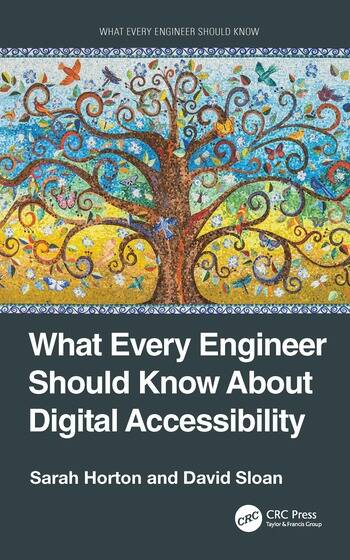
Book cover with a colorful tree of life mosaic illustration and the book details, What Every Engineer Should Know About Digital Accessibility by Sarah Horton and David Sloan, part of the What Every Engineer Should Know series published by CRC Press, a division of Taylor & Francis GroupDave and I spent many months working on an outline of what every engineer should know about digital accessibility. We keep coming back to the “every” part of the title, and the “should,” and how that meant the coverage should be broadly relevant, avoiding the deep-dive rabbit holes of what some engineers must know. We also had to come to terms with what the “engineer” role means in the context of digital accessibility. Eventually we came to understand that the lowercase “engineer” is similar to the lowercase “designer” — a term that describes the person who makes decisions and engineers things that affect the experience of others. In other words, every one of us. That broad definition combined with the foundational approach to teaching accessibility lead to our book structure, where we first establish accessibility foundations and then focus on methods.

What we ended up with for What Every Engineer Should Know About Digital Accessibility is excerpted from the book as follows.


In Part 1, Foundations of Accessibility we cover the building blocks of digital accessibility, who benefits from accessibility and in what ways, and overarching approaches to addressing accessibility needs.

  • Chapter 1, Introduction to Digital Accessibility, defines digital accessibility and describes its beneficiaries and characteristics.
  • Chapter 2, Disability and Digital Inclusion, focuses on establishing the core concepts of disability, disability discrimination, and the promise of digital inclusion.
  • Chapter 3, User Accessibility Needs, covers a range of accessibility needs arising from disability, aging, and other impairments, as well as the situational and temporal nature of accessibility needs.
  • Chapter 4, Assistive Technology, presents assistive technologies and accessibility strategies and how they manifest in both open and closed systems.
  • Chapter 5, Core Attributes, focuses on characteristics such as flexibility and compatibility that make digital technologies particularly effective at meeting accessibility needs.
  • Chapter 6, Guiding Principles, covers the principles, guidelines, and standards that underpin accessible design and engineering methods and practices.
  • Chapter 7, Accessibility in Practice, brings it all together with guidance on how to integrate the foundations into professional practice.

In Part 2, Methods for Engineering Digital Accessibility, we present a proactive, holistic approach to accessibility, with creative, user‑centered methods and tasks to be performed by all roles on the product team in all phases of the product lifecycle.

  • Chapter 8, Requirements Specification, presents approaches for surfacing and defining accessibility requirements and ways to describe them meaningfully in requirements documentation.
  • Chapter 9, Core Requirements, uses global accessibility principles and guidelines as a framework for describing core requirements, their purpose and intent, and considerations for meeting them in design and implementation.
  • Chapter 10, Design and Development, provides approaches to designing and implementing accessibility requirements.
  • Chapter 11, Testing and Evaluation, covers automated and manual accessibility testing and accessibility evaluation methods, as well as ways for recording and acting on issues that are identified.
  • Chapter 12, Documentation and Support, focuses on best practices for documenting the status of accessibility in digital products and considerations when communicating accessibility status and supporting end users.

We close the book with Chapter 13, The Future of Digital Accessibility, inviting the reader to step forward as an accessibility‑informed and competent design and technology professional, ready to contribute to engineering an accessible and inclusive digital world.


We recognized from the very beginning of our writing process that our perspective on what every engineer should know about digital accessibility is limited by our own awareness, knowledge, and skills, and lived experience. To help fill the gap, we asked for contributions from members of the global accessibility and disability communities. The book features sidebars with community perspectives, each one completing the sentence, Every engineer should know…

  • Inaccessible software does not only eliminate or limit access, but it can also cause harm to some users (Yasmine Elglaly)
  • How to talk about disability — an excerpt from Demystifying Disability (Emily Ladau)
  • About neuro‑inclusive digital accessibility (Lē Silveus)
  • People with disabilities have a wide and diverse range of user needs (Jonathan Avila)
  • People with disabilities use a variety of assistive technologies and accessibility strategies (Jonathan Avila)
  • Content and functionality must be machine readable (Makoto Ueki)
  • Those who have been marginalized get it (Jonee Meiser)
  • Accessibility is a team effort. It is not exclusive to user research or front‑end development (Yasmine Elglaly)
  • Not all user needs or barriers will be addressed by the “current” WCAG guidelines at any given time (Erich Manser)
  • Custom UI components need extra information to be accessible (Kate Kalcevich)
  • Accessibility requirements for neurodivergent people (Lē Silveus)
  • Disabled people are digital creators and consumers. We need accessibility in design and development tools (Yasmine Elglaly)
  • Supporting your team and engaging with communities makes a difference (Matthew Tylee Atkinson)
  • You can’t rely on testing tools. They can test only 20%–30% (Makoto Ueki)
  • You need to bake layers of accessibility testing into your process (Kate Kalcevich)
  • Inaccessible design is the problem, not the user who raises the issue (Erich Manser)

We’re really happy with how the book came together — its breadth of coverage and the richness provided by the community perspectives. We’re so grateful to everyone who contributed, directly and indirectly.

We hope the book will help build the accessibility awareness, knowledge, and skills needed to ensure that the digital world is for all of us.


Buy What Every Engineer Should Know About Digital Accessibility directly from Routledge and get a 20% discount with code SMA22.

Not it! A game of accessibility hide-and-seek with technology vendors

True accessibility is a partnership between technology vendors and their customers. Based on my experience, some technology vendors are not owning their role in making sure people with disabilities are included in the digital world.

My work in recent years has been helping organizations adapt and improve culture and practice to support digital accessibility. A key component is accessible technology procurement, making sure that technology vendors and contractors are part of the solution. The Accessibility Conformance Report, or VPAT, is a standard format for vendors to document a product’s conformance with accessibility standards, including Section 508, EN 301 549 (PDF), and WCAG 2.1 ISO/IEC 40500. Asking for a VPAT (pronounced “vee-pat”) has direct and indirect benefits, including:

  • Reminding staff of commitment: When staff are required to ask for a VPAT whenever they shop for new technology, they are reminded of the organization’s commitment to digital accessibility and disability inclusion.
  • Articulating organizational policy: Asking for a VPAT is a way of communicating organizational policy to vendors and contractors, making clear that accessibility isn’t treated as a “nice-to-have” feature; it’s a requirement.
  • Pressuring vendors: Multiple customer requests for VPATs can persuade vendors to engage meaningfully with accessibility and incorporate accessibility best practices into product development.
  • Helping with purchasing decisions: VPATs provide information about areas of non-conformance to help with buying decisions and choosing the product that “best meets” accessibility standards.
  • Providing details for workarounds: VPATs provide details to work out a plan for providing an equally effective alternate for any features that are not accessible.

In May 2020 I started an informal research project that I call “Accessibility Buyer.” When I am looking into a product for a task or project, I ask the vendor for a VPAT. I start with an email to the main “help” or “sales” email address with the message, “I’m looking for accessible platforms for [product type, e.g., virtual events]. Do you have a VPAT or other documentation of conformance with accessibility standards?” From there, I see what happens.

As an accessibility buyer, my primary objective for asking for a VPAT is not to verify that the product conforms to standards before buying or adopting it. Realistically, very few, if any, digital products fully conform to accessibility standards. I want to know whether the vendor is gaming their customers or taking accessibility seriously.

A vendor’s response to a request for accessibility conformance documentation reveals evidence of their engagement with accessibility, and their willingness to work with their customers to support people with disabilities. Will they own their role? Or will they effectively shirk their responsibilities?

Avoiding responsibility

In some cases, vendors play a game of hide-and-seek, and are quick to say, “Not it!”

In September 2020 I was exploring time tracking tools. I had gotten into the habit of tracking time at my previous job. After initially resisting the idea, I came around to kind of enjoying it. Among other tools, we had used Tick and Harvest, and I liked the simplicity of these tools and their features. I started by asking Harvest for documentation of conformance with accessibility standards, and their reply was:

We don’t have a VPAT or any similar documentation, I’m afraid. As a small company with limited resources, we must leave it to you to determine whether our products meet the requisite level of accessibility you need.

The idea of a “requisite level” of accessibility is concerning; there is little ambiguity about employment and non-discrimination. I had expected vendors in this space to be building accessibility into their systems, but the statement about size and limited resources set off alarm bells. Have they not addressed accessibility in design and development? Or have they addressed accessibility but are too small and under-resourced to evaluate and document conformance? Tick also did not provide a VPAT, although they did report attention to accessibility: “We do our best to follow all W3C guidelines for web accessibility to make sure Tick is accessible to everyone.”

Accessibility is a market differentiator for technology vendors. Especially in sectors that have clearly defined obligations, such as employment, education, justice, transportation, vendors should be stepping forward and providing documentation to their customers who need accessible technology to meet their obligations, if for no other reason than that it makes good business sense. Since neither vendor provided the documentation that I needed to make an informed decision, both lost my business.

In December 2020 I revisited my approach to content authoring and publishing. I use WordPress and Medium to post articles, but I had not asked these vendors about the accessibility features of their platforms. I started by asking Medium for documentation of conformance with accessibility standards, and their reply was:

At this time, we do not have any publicly available accessibility reports or statements. You will need to work directly with your compliance team to determine if Medium is acceptable for your uses.

According to this reply, Medium’s customers are on their own in making sure people with disabilities are included in authoring, publishing, and accessing content. To meet accessibility policy and legal requirements, customers must evaluate Medium’s conformance with accessibility standards and then decide whether areas of nonconformance are acceptable. The response does not provide evidence of engagement with accessibility or openness to addressing accessibility issues with the platform.

I moved my articles off of Medium and onto my WordPress site, not because WordPress has accessibility conformance wrapped up, but because they engage with the topic. They provide guidance on accessible content authoring, and they are open to discussion. When I asked about documentation of the WordPress platform, their response was, “We do not have documentation covering our own accessibility features, but if you have questions about anything in particular please let us know!”

In looking for a healthy partnership between customer and vendor, “Let us know” is much better than “You figure it out.”

Being part of the solution

The good news is that some technology vendors own accessibility in their products and work to address areas of nonconformance with accessibility standards.

In Spring 2020 I started looking at accessibility in platforms and tools for virtual meetings and events. Over the next months I contacted several vendors to ask for a VPAT and received responses with varying levels of detail and helpfulness. Sched did not provide a VPAT but reported that they are working to address accessibility issues. Attendify reported, “We do not have such documentation, and we have not got a chance to properly test our platform for accessibility.” Eventbrite, Virtual Summits, and Pheedloop did not respond at all. Zoom, on the other hand, was a standout.

First of all, Zoom has an Accessibility page with details about accessibility features, and accessibility conformance reports. I didn’t have to ask for a VPAT, but instead downloaded and reviewed the reports. The VPATs include several areas of nonconformance, and I wanted to learn about Zoom’s plans to address those issues. I emailed their accessibility email address and asked whether the VPATs were up to date and what plans they had to address accessibility. Their reply was:

Thanks for reaching out to Zoom Accessibility. The newest Zoom Application update (version 5.3.0) was released over the weekend. We are planning on posting the updated VPATs in the next week when we make updates to our accessibility website. I’ve attached the VPATs for mobile and desktop to this email. We are committed to fixing showstopper violations and have added comments in the VPATs to show our plan. If you feel there are any exceptions that need to be escalated please let us know.

As for our roadmap, we have a few items that I can share with you:

    • Addition of more alerts to the Customizable Screen Reader Alert section in the Accessibility Settings
    • Supporting F6 navigation to navigate between major application regions
    • Live Transcription (ASR) for live Zoom Meetings

Zoom’s proactive approach to accessibility and credible accessibility conformance reports are a breath of fresh air! Even though their VPATs include areas of nonconformance, their responsiveness and plans to address accessibility issues and add features make me feel comfortable sticking with Zoom for virtual meetings and events.

Working together to address accessibility barriers

Access to technology is a human right under the United Nations Convention on the Rights of People with Disabilities. Access to technology is a civil right, legislated by equality and civil rights laws in many countries. Products that do not follow accessibility standards may limit or block access to technology, violating human and civil rights of people with disabilities.

As technology customers, we must rely on vendors to address accessibility in product development. Otherwise we risk discriminating against people with disabilities—an employee reporting hours, a writer submitting an article, a reader accessing a story, a speaker or participant at a virtual event. We must use our buying power to ask for what we need from technology vendors.

  1. Start with a simple message to the vendor’s help or contact email, asking, “Do you have a VPAT or other documentation of conformance with accessibility standards?”
  2. If the reply does not include accessibility documentation, respond with something along the lines of, “My company has a policy that requires conformance with accessibility standards. Without documentation, it’s difficult to move forward with your product.”
  3. If the vendor shares documentation that has areas of nonconformance, respond with, “For the items marked ‘Partially supports’ or ‘Does not support,’ can you share your accessibility roadmap, with plans for addressing those issues?”

A VPAT isn’t a guarantee of product accessibility. But by asking a vendor for a VPAT and following up for details, we open the door to working together to understand and address accessibility barriers.

If you are a technology vendor, own accessibility in your products, document conformance with accessibility standards, and work continuously to address areas of nonconformance. Don’t play accessibility hide-and-seek. Your customers may give up on the game, and your products, while you’re hiding.

Math is hard. People with disabilities matter

When I first started advocating for web accessibility in design and development projects I was drawn to the argument that accessibility wasn’t about people with disabilities, but rather about people, and that designing to meet the needs of people with disabilities would improve things for everyone.Continue reading “Math is hard. People with disabilities matter”

Organizations, accessibility, and change

In the past years I’ve often found myself in the role of change agent — someone responsible for advancing new ways of doing things. It’s the most challenging role I’ve ever held, and I’ve reflected quite a bit on what works and what doesn’t. Continue reading “Organizations, accessibility, and change”